


 Progress Reports
Know how they're doing, without checking every answer.
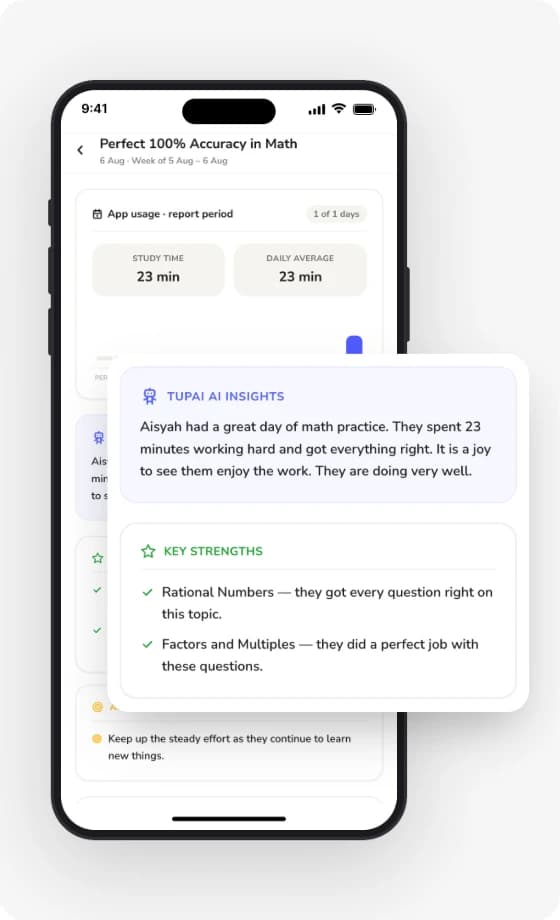
See your child's strengths and tricky areas over the last 14 days in a single report, plus the recommended topics to focus on next.
What's in a report
How they did
See their study time, consistency, and score accuracy at a glance without doing any maths yourself.
Their strengths
Celebrate up to 2 topics they've mastered and feel confident about.
Areas to improve
Catch up to 2 chapters they found tricky before it impacts school marks.
What to revise next
Up to 3 clear topic recommendations, taking the guesswork out of revision.
From report to real progress
The report shows where to start. Tupai helps with the rest.
- Spot it. The report picks the chapters to work on. No maths needed.
- Practise it. Assign one as homework and see every answer.
- Get unstuck. Your child asks Tupai about any question, or opens the chapter's lesson. Nudge them if they don't.
- See it move. The next report shows whether that chapter has become a strength.
Keep everyone on the same page
Download a quick PDF summary in English or BM and share it right from your phone:
- With a tutor. Tutors see exact weak spots immediately, so paid lessons aren't wasted assessing where to start.
- With school teachers. Walk into parent-teacher meetings with clear data on where your child needs support.
- With family. Keep your spouse or family members in sync without repeating updates.
- For your own peace of mind. Look back across monthly reports to see measurable progress and rising confidence over time.
Questions parents ask
Once a day, when your child has done something new since the last one.
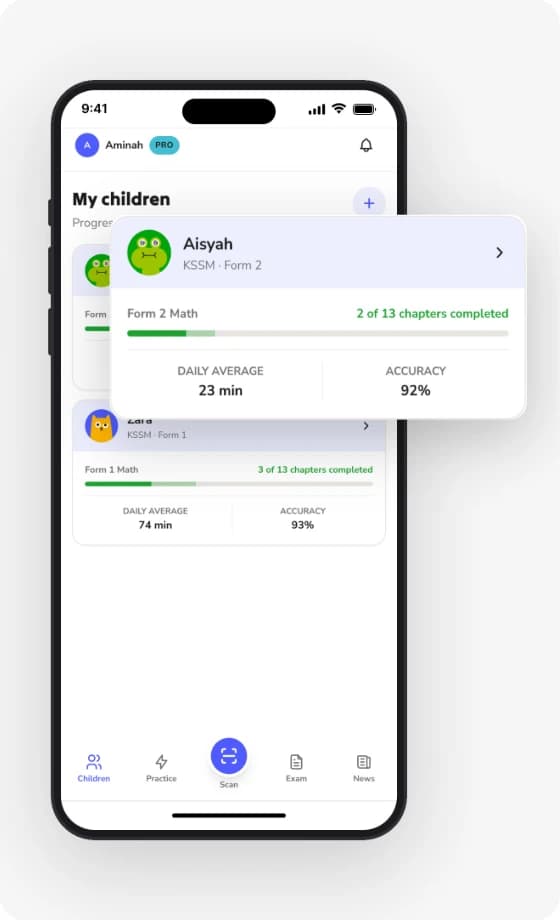
Yes. Each child has their own card and their own reports.
The first report covers the last 14 days. After that, each report covers what's happened since the previous one.
New progress reports stop until you choose a plan. Your child keeps their account and history, and any report you saved as a PDF is yours to keep.
No. You ask for it in Tupai Parent when you want it.